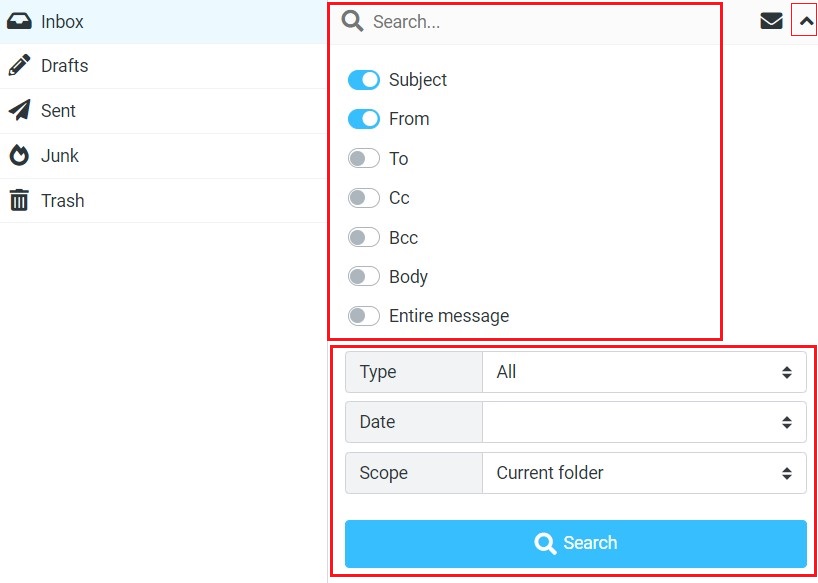
For searching email messages, first, select the folder you want to search in the Mailbox folders list on the left. Then enter the search term into the search box above the message list and press on your keyboard to start the search. Search results will be displayed in the message list.
Reset the search by clicking the Reset search icon on the right border of the search box. Switching to another folder will also reset the search and clear the search box.
Advance Search
Open the search options menu by clicking the search icon right in the search box, and click on this icon (). You can select which parts of the message should be searched for the entered term. You can also type specific search criteria directly into the box, such as “from Subject: From, To, CC, BCC, Body, etc.