Create a Contact Group
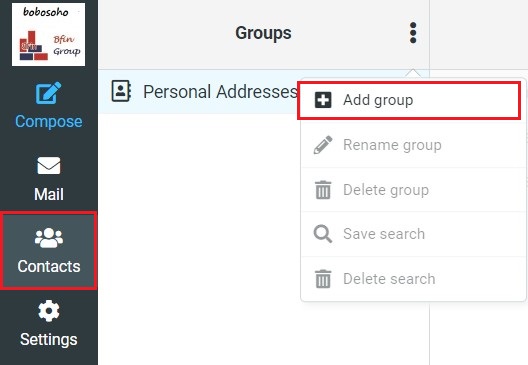
In order, you need to create a new contact group, first select the contact options. Then click on the icon then Add a group then choose a name and click on save; now successfully you have created a contact group.
Add Contacts to Group
Contacts can be assigned or add to groups by dragging & dropping them with the mouse. Select one or multiple contacts in the list and drop them onto the desired group. It’s a simple as that.

Remove Contacts
You can easily delete contacts from the group by selecting the contact which you want to delete, after selecting the contact just follow the toolbar of the top right you will find the option Delete. Click on the delete option the contact will delete permanently.

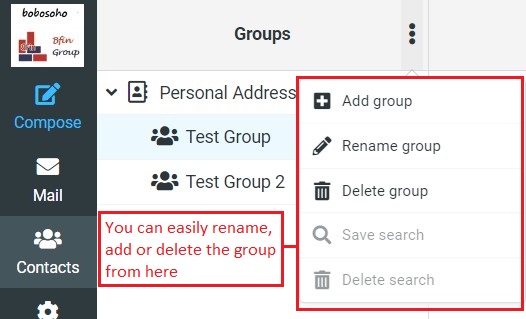
Also at the top of the group's list, click on the 3 dot icon, and a menu will appear you can do more actions from the menu such as renaming, deleting, and also add a new group from here.
Rename Group
Only enabled when a contact group is selected in the list above, this will let you enter a new name for that group.
Delete Group
Deletes the group selected in the list above. Note that the contacts assigned to that group will NOT be deleted.